Flatpay is a payment solutions company that focuses on giving small and medium-sized businesses a simple, transparent way to accept card payments in person. Its proposition centres on a single, predictable flat rate per transaction — with no monthly subscriptions, no hidden charges, and a full-service setup experience that includes on-site installation and 24/7 support. The terminal product is built around the PAX A920 Pro, a portable Android-powered touchscreen device that supports contactless, chip and PIN, and digital wallet payments.
Flatpay positions itself as a direct alternative to payment processors that layer complexity onto their pricing — variable rates, monthly plans, and extra charges for features merchants only discover after they sign up. Its stated mission is to eliminate hidden fees and outdated hardware, and to replace them with a better payment experience.
What Is Flatpay?
Flatpay is a payment solutions company that focuses on giving small and medium-sized businesses a simple, transparent way to accept card payments in person. Its proposition centres on a single, predictable flat rate per transaction — 1.49% for businesses processing under £200,000 per year in card payments — with no monthly subscriptions, no hidden charges, and a full-service setup experience that includes on-site installation and 24/7 support.
Flatpay: Quick Snapshot
Transaction fee (below £200k/yr)1.49% per transaction, all cards
Transaction fee (above £200k/yr)Custom rate — contact Flatpay
Monthly / subscription feeNone
Setup / start-up cost£0
Terminal hardwarePAX A920 Pro (SIM card included)
ConnectivityWi-Fi and 4G
PayoutsNext-day (subject to banking days)
Support24/7 phone and email
Surcharge featureAvailable — free to enable
Flatpay Pricing: Fees and Costs Explained
Flatpay’s pricing model is built around a single flat rate that applies to every card transaction. There are no tiered plans, no monthly fees, and no charge to get started. The rate you pay depends on your annual card turnover.
- Below £200,000 annual card turnover: 1.49% per transaction — applies to all card types including debit, credit, Visa, Mastercard, and contactless. There is no split between card types at the headline rate, making budgeting straightforward.
- Above £200,000 annual card turnover: Custom rate — negotiated directly with the Flatpay sales team. Larger-volume merchants should contact Flatpay directly for a tailored quote.
What Is Not Charged
Flatpay is transparent about what is not included in its fees. Merchants are not charged for monthly subscriptions or platform fees, setup or onboarding fees, 24/7 customer support access, merchant portal access, or enabling the surcharge feature.
Additional Fees to Be Aware Of
| Fee / Item |
Amount |
Notes |
| Transaction rate (below £200k/yr) |
1.49% |
Flat rate — applies to all card types, no split between card types |
| Transaction rate (above £200k/yr) |
Custom |
Contact Flatpay sales for a tailored quote |
| Monthly / subscription fee |
None |
No recurring fee regardless of usage |
| Setup / start-up cost |
£0 |
Free to get started |
| Minimum monthly turnover requirement |
£995 |
Assessed annually — seasonal businesses accommodated |
| Fee for unfulfilled monthly turnover |
£39 |
Charged if turnover falls below the minimum threshold |
| Terminal replacement |
£410 |
Per device — for lost, damaged, or faulty terminals |
| Receipt paper rolls (60 pcs) |
£49 |
Thermal paper compatible with PAX A920 Pro |
| Surcharge fee to merchant |
Free |
Surcharge activation and usage costs nothing for merchants |
| 24/7 support |
Included |
Phone and email, always available |
| On-site installation & training |
Included |
Provided as part of the standard service |
| Merchant Portal access |
Included |
Full reporting, Z-reports, transaction history |
Pricing correct as of 2026. Always confirm current rates directly with Flatpay before signing up. The minimum turnover requirement is assessed annually and may be reviewed for seasonal businesses.
Flatpay Hardware: The PAX A920 Pro Terminal
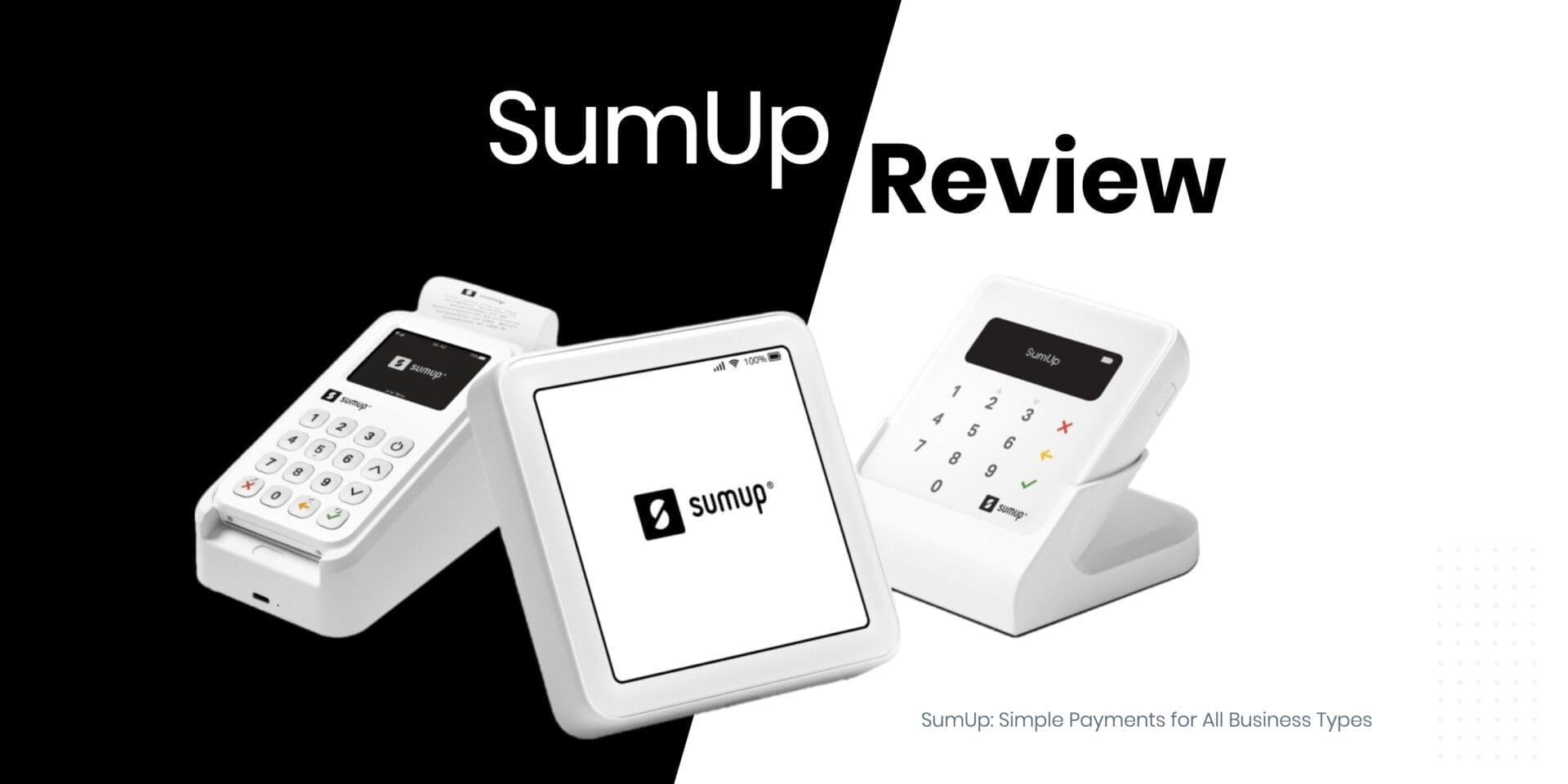
Flatpay’s payment terminal is the PAX A920 Pro — a widely used Android-based touchscreen device in the card payments industry. It is a handheld, portable unit with a built-in thermal receipt printer, making it well-suited for counter use and tableside payments alike. The terminal connects over both Wi-Fi and 4G, with a SIM card pre-installed in the box so it is ready to use immediately without any additional mobile contract or data plan to arrange.
Hardware Specifications
- Android operating system with automatic software updates to maintain system integrity
- NFC contactless payments — supports tap-to-pay cards and digital wallets
- Wi-Fi and 4G connectivity — pre-installed SIM card included
- Fast integrated thermal receipt printer built into the device
- Accepts Visa, Mastercard, Apple Pay, Google Pay, and contactless — covers the full range of payment methods UK customers commonly use
- Sleek, compact design suitable for countertop or handheld use
What’s in the Box
Every Flatpay package includes everything needed to start taking payments immediately:
- PAX A920 Pro terminal
- USB-A to USB-C charging cable and 5V 2A 10W power supply
- Terminal stand
- Pre-installed SIM card — ready for 4G connectivity out of the box
- Roll of receipt paper
- Accessibility sticker with tactile knobs for visually impaired customers
- Window sticker with Flatpay branding and accepted card types
Getting Started: The Flatpay Onboarding Process
Flatpay’s approach to onboarding is notably hands-on compared to many payment providers that simply ship hardware and leave merchants to configure it themselves. The process runs in three stages, designed to get merchants operational quickly and with minimal technical effort on their part.
- Step 1 — In-Person Meeting: A Flatpay representative visits the business, discusses its needs, and provides a personalised walkthrough of the product. This is not a remote or self-service process — a real person comes to you.
- Step 2 — Tailored Offer: At the end of the consultation, the merchant receives a proposal designed around their specific requirements. For businesses under £200,000 per year in card turnover, the 1.49% rate applies. For higher-volume merchants, a custom rate is discussed.
- Step 3 — On-Site Installation: Flatpay manages the full installation of hardware and software at the merchant’s premises. There is no expectation that the business owner will configure the terminal themselves — the Flatpay team handles setup and provides training before they leave.
Flatpay Surcharge: What It Is and How It Works
Flatpay offers an optional surcharge feature that allows merchants to pass on the higher processing cost of certain card types to the customer at the point of payment. In the UK, eligible cards are international cards and business cards. Standard UK consumer cards — the type most customers use day to day — are not subject to surcharging. Enabling and using the surcharge feature is completely free for merchants.
How It Works
When a customer pays with an eligible card, a surcharge of 3.89% is applied automatically to the transaction total. The surcharge amount is displayed on the terminal screen before the payment is confirmed, and is itemised on the printed receipt — so the customer has full visibility and the choice to proceed before committing.
Surcharge Example
☕ A coffee is priced at £5.00
✓ Customer paying with a standard UK card pays £5.00 — no surcharge
→ Customer paying with an international card pays £5.19 — 3.89% surcharge applied automatically
ℹ The merchant pays 0% on eligible transactions — the surcharge is funded by the customer, not deducted from the merchant’s payout
Communicating Surcharge to Customers
UK regulations require that customers are informed about surcharges before they pay. Flatpay recommends informing customers at the point of entry or at the till using visible signage — the surcharge window stickers Flatpay provides are designed for this purpose. Staff should also be briefed to explain the surcharge simply and clearly if customers ask. The terminal automatically displays the surcharge amount before the transaction is finalised, so the process is transparent by design.
How to Enable Surcharge
- Step 1: Contact Flatpay Support at info@flatpay.co.uk or +44 2080289990
- Step 2: Flatpay confirms eligibility for your country and industry
- Step 3: Once approved, the feature is activated on your account and you are notified when it is live
- Step 4: Run a test transaction to see how the surcharge appears before using it with customers
Payouts: How and When You Get Paid
Flatpay aims to provide next-day payouts to all merchants, meaning funds collected through the terminal are settled into the merchant’s bank account the following business day. The company notes that this is subject to banking days, weekends, and cut-off times, so payouts may occasionally be slightly delayed around bank holidays. For small businesses managing cash flow, reliable next-day settlement is a practical benefit — it reduces the number of days that revenue sits in a payment processor’s account rather than your own.
Flatpay Software Features
Every Flatpay merchant gets access to an online Merchant Portal with real-time reporting — included as standard with no additional charge. The portal allows you to track sales trends and transaction history, view daily turnover and payout reports, and grant access to accountants or bookkeepers directly.
Terminal Software
- Sales and refund processing
- Print last receipt — reprint the most recent receipt on demand
- Z-reports (end-of-day) and X-reports (interim sales summary)
- Transaction history and Z-report history
- Automatic receipt printing or “ask customer” prompt to reduce paper waste
- Tip acceptance — can be enabled or disabled, ideal for hospitality
- Merchant reference field for adding order or table references
- Language selector and default to sales screen for faster transactions
Flatpay Support: 24/7 Help When You Need It
Flatpay provides 24/7 support via both phone and email — included as standard with no premium plan required. For businesses that trade outside standard office hours, such as restaurants, bars, and events venues, this is a meaningful practical benefit rather than a marketing claim. Payment issues do not wait for business hours.
You can reach the Flatpay support team at +44 2080289990 or by email at info@flatpay.co.uk.
Who Is Flatpay Best Suited For?
Flatpay is designed primarily for face-to-face retailers, hospitality businesses, and service providers who want a reliable card terminal with straightforward pricing. Based on its published product details, it is likely to be a strong fit for the following types of business:
- Cafés, restaurants, and bars — high volume of in-person transactions, value speed at the point of sale, and often benefit from the tip acceptance and surcharge features
- Independent retailers and boutiques — looking for a simple alternative to complex payment plans with no monthly fees
- Seasonal businesses — the annual assessment of the minimum turnover requirement provides flexibility, though this should be reviewed carefully before signing up
- Service businesses such as salons, clinics, and tradespeople who need a portable terminal with 4G connectivity for use away from a fixed counter
- Businesses handling international customers or business card payments regularly — the surcharge feature allows those higher processing costs to be passed on rather than absorbed
Important: Flatpay is primarily a card-present solution built around the physical payment terminal. Businesses that need substantial online payment processing or ecommerce functionality as a primary channel should verify current capabilities directly with Flatpay before signing up.
Flatpay Pros and Cons
Pros
✓1.49% flat rate — simple, predictable pricing for all card types
✓No monthly fees and £0 to start
✓Full on-site installation and training — no technical setup required
✓24/7 phone and email support included as standard
✓Next-day payouts as standard
✓Surcharge feature free to enable and use
✓PAX A920 Pro with Wi-Fi and 4G — pre-installed SIM included
✓Accepts Apple Pay, Google Pay, Visa, and Mastercard
Cons
✗Minimum monthly turnover of £995 (assessed annually — seasonal businesses accommodated)
✗£39 fee if monthly turnover falls below threshold
✗Custom pricing for high-volume merchants not published — requires direct contact with sales
✗Surcharge fixed at 3.89% — merchants cannot adjust this rate
✗Terminal replacement cost of £410 if device is lost or damaged
✗Primarily a card-present solution — limited ecommerce functionality
Flatpay FAQs: People Also Ask
What is Flatpay’s transaction fee?
Flatpay charges 1.49% per transaction for businesses processing under £200,000 per year in card payments. This flat rate applies to all card types — debit, credit, Visa, Mastercard, and contactless — with no split between card types. For businesses processing above £200,000 per year, a custom rate is available and must be negotiated directly with the Flatpay sales team.
Does Flatpay have a monthly fee?
No. Flatpay does not charge a monthly subscription or platform fee. There is also no setup or onboarding cost — it is free to get started. The only recurring fee to be aware of is the minimum monthly turnover requirement of £995 (assessed annually), with a £39 charge in any month where turnover falls below that threshold.
What is the minimum turnover requirement for Flatpay?
Flatpay requires a minimum monthly card turnover of £995. This is assessed annually, meaning seasonal businesses that trade heavily at certain times of year and more quietly at others can be accommodated. If turnover falls below the threshold in a given month, a £39 fee applies for that month.
What cards does the Flatpay terminal accept?
The PAX A920 Pro accepts all major cards and digital wallet payments including Visa, Mastercard, Apple Pay, Google Pay, and contactless. This covers the full range of payment methods UK customers commonly use, meaning merchants are unlikely to encounter a situation where a customer cannot pay.
Does the Flatpay terminal work without Wi-Fi?
Yes. The PAX A920 Pro supports both Wi-Fi and 4G connectivity. A SIM card is pre-installed in the terminal, so it can connect over the mobile network immediately out of the box — no separate mobile contract or data plan is required. This makes it suitable for outdoor use, mobile businesses, and situations where a fixed Wi-Fi connection is unavailable.
What is the Flatpay surcharge and how does it work?
Flatpay’s surcharge feature allows merchants to automatically pass on a 3.89% fee to customers paying with international or business cards — which cost more to process than standard UK consumer cards. The surcharge is displayed on the terminal screen before the customer confirms payment, and is itemised on the receipt. It is free to enable and use. Standard UK consumer cards are not surcharged.
How does Flatpay onboarding work?
Flatpay’s onboarding process is fully managed. A Flatpay representative visits your business in person, discusses your requirements, and provides a tailored proposal. Once you sign up, Flatpay handles the full on-site installation of hardware and software and provides training before they leave. You do not need to configure anything yourself.
Flatpay support is available 24/7 by phone on +44 2080289990 or by email at info@flatpay.co.uk.
Disclaimer: This review is provided for general informational purposes only and does not constitute financial or commercial advice. Pricing and product details are based on information available as of 2026 and are subject to change. Always verify current fees, terms, and eligibility directly with Flatpay before entering into any commercial agreement. MoneyZoe may receive a referral fee if you sign up via links on this page.