Best Business Bank Accounts Comparison 2026
Explore and find the best business account for your company—compare features, fees, and benefits whether you’re a startup, freelancer, limited company, or growing business.
-
ANNA Money — Free banking with built-in tax tools
 Monthly Fee£0Bank TransfersUnlimited outgoing free · £1,000 incoming free, then 0.95%ATM withdrawalsFreeFX Fees1%FSCS ProtectionNo
-
AccountGrowMonthly Fee£12.90 + VATBank Transfers15 free/mo, then 27pATM withdrawals1.5% (min £1)FX Fees1% · SWIFT £5Accounting SoftwareXero, Integration with third party accounting software
-
AccountBusinessMonthly Fee£22.90 + VATBank Transfers60 free/mo, then 20pATM withdrawals3 free/mo, then 1% (min £1)FX Fees1% · 2 free SWIFT/moAccounting SoftwareXero, Integration with third party accounting software
-
AccountBig BusinessMonthly Fee£59.90 + VATBank TransfersUnlimited freeATM withdrawalsFree unlimitedFX Fees0.5% · 4 free SWIFT/moAccounting SoftwareXero, Integration with third party accounting software
ANNA Money is a business account for startups, freelancers, creatives, and growing businesses. It offers instant invoicing, automatic reconciliation, and smart money management tools. You get a debit card, virtual cards, and up to 40% cashback on 150+ products. Includes international payments with a dedicated IBAN, pots, unlimited expense cards, and cash deposits at 28,000+ locations.
Accounting Integrations: Share access with your accountant or sync with accounting software like Xero, QuickBooks, FreshBooks, Sage 50 and FreeAgent.
Multicurrency Support: Thanks to Railsr and Currencycloud, ANNA lets you send and receive international payments via SWIFT and SEPA. You can set up a multicurrency IBAN, hold funds in USD, EUR, or CHF, and benefit from low-cost SEPA transfers across Europe. Currency conversion fees are up to 1% per transfer.
International Payments (FX Fees):
- Pay As You Go: SWIFT payments: £5 each, Currency conversion fee: 1%
- Grow: SWIFT payments: £5 each, Currency conversion fee: 1%
- Business: 2 free SWIFT payments/month, then £5 each, Currency conversion fee: 1%
- Big Business: 4 free SWIFT payments/month, then £5 each, Currency conversion fee: 0.5%
Eligible business types: Sole Traders, Limited Companies and LLP
Find out more at Anna.Money
-
-
CountingUpMonthly Fee£5Bank Transfers3 free/mo, then 27pATM withdrawals£1FX Fees3%FSCS ProtectionYes
-
Account2nd TierMonthly Fee£12Bank Transfers3 free/mo, then 27pATM withdrawals£1FX Fees3%Accounting SoftwareBuilt-in Accounting
-
Account3rd TierMonthly Fee£20Bank Transfers3 free/mo, then 27pATM withdrawals£1FX Fees3%Accounting SoftwareBuilt-in Accounting
CountingUp combines a business account with built-in accounting and a free 3-month trial. Create invoices, accept card payments, and track late payments automatically. SmartTax AI categorises transactions, estimates tax, and flags tax allowances to save you money. File VAT to HMRC, store receipts, and connect your accountant directly.
1st Tier (5£/monthly) : Total monthly Deposit in £0-£750
2nd Tier (12£/monthly): Total monthly Deposit in £750-£7,500
3rd Tier (20£/monthly): Total monthly Deposit in £7,500+Cash deposits:
- Post Office Cash Load: 0.5% (minimum £2)
- Cash Load (PriceSpecification): 3%
Accounting Integrations: Users can connect their accountant directly to their account via the Countingup Accountant Hub, allowing the accountant to access their data.
Multicurrency Support: Countingup accounts don’t currently have an IBAN, so international bank transfers cannot be sent or received directly from the account. However, with the Countingup Member Offer via CurrencyFair, users get 15% off exchange margins, with rates up to 8× cheaper than banks. You can exchange over 20 currencies to 150 countries. Foreign currency card transactions incur a 3% fee per transaction.
Eligible business types: Sole Traders and Limited Companies.
Find out more at CountingUp
-
-
Cynergy Bank
 Monthly FeeFree for 12 months, then £5/monthBank TransfersFreeATM withdrawals1.50% (min £1.50)FX Fees2.75%FSCS ProtectionYes
Cynergy Bank is a UK business current account that pays 3.50% AER variable on balances up to £10,000. Interest is calculated daily and paid monthly. Eligible deposits are FSCS-protected up to £120,000. Limited offer: new accounts are fee-free for the first 12 months, then £5/month after. Terms apply.
Standard transfers including Faster Payments, Direct Debits, and Standing Orders are all free. CHAPS, SWIFT, and SEPA payments are £6 each. A limit of 100 free transactions per month applies.
Multicurrency Support: Make and receive international payments in up to seven major currencies. Option to open EUR or USD accounts. Foreign currency card transactions incur a 2.75% FX fee.
Accounting Integrations: Sage.
Cynergy Bank also offers two savings products for businesses: the Business Saver (3.50% AER variable, deposit from £1 to £10,000,000 with flexible access) and the Business Notice Saver (higher rates with a chosen withdrawal notice period, no fixed term).
Eligible business types: Partnerships, Limited Liability Partnerships, and Limited Companies registered in the UK with up to 10 directors. Not suitable for sole traders, charities, trusts, or non-UK businesses.
Find out more at Cynergy Bank
-
Airwallex
 Monthly Fee£0*Bank TransfersFreeATM withdrawals–FX Fees0.5% – 1%FSCS ProtectionNo
-
AccountGrowMonthly Fee£49Bank TransfersFreeATM withdrawals–FX Fees0.5% – 1%Accounting SoftwareXero
-
AccountAccelerateMonthly Fee£999Bank TransfersFreeATM withdrawals–FX Fees0.5% – 1%Accounting SoftwareXero
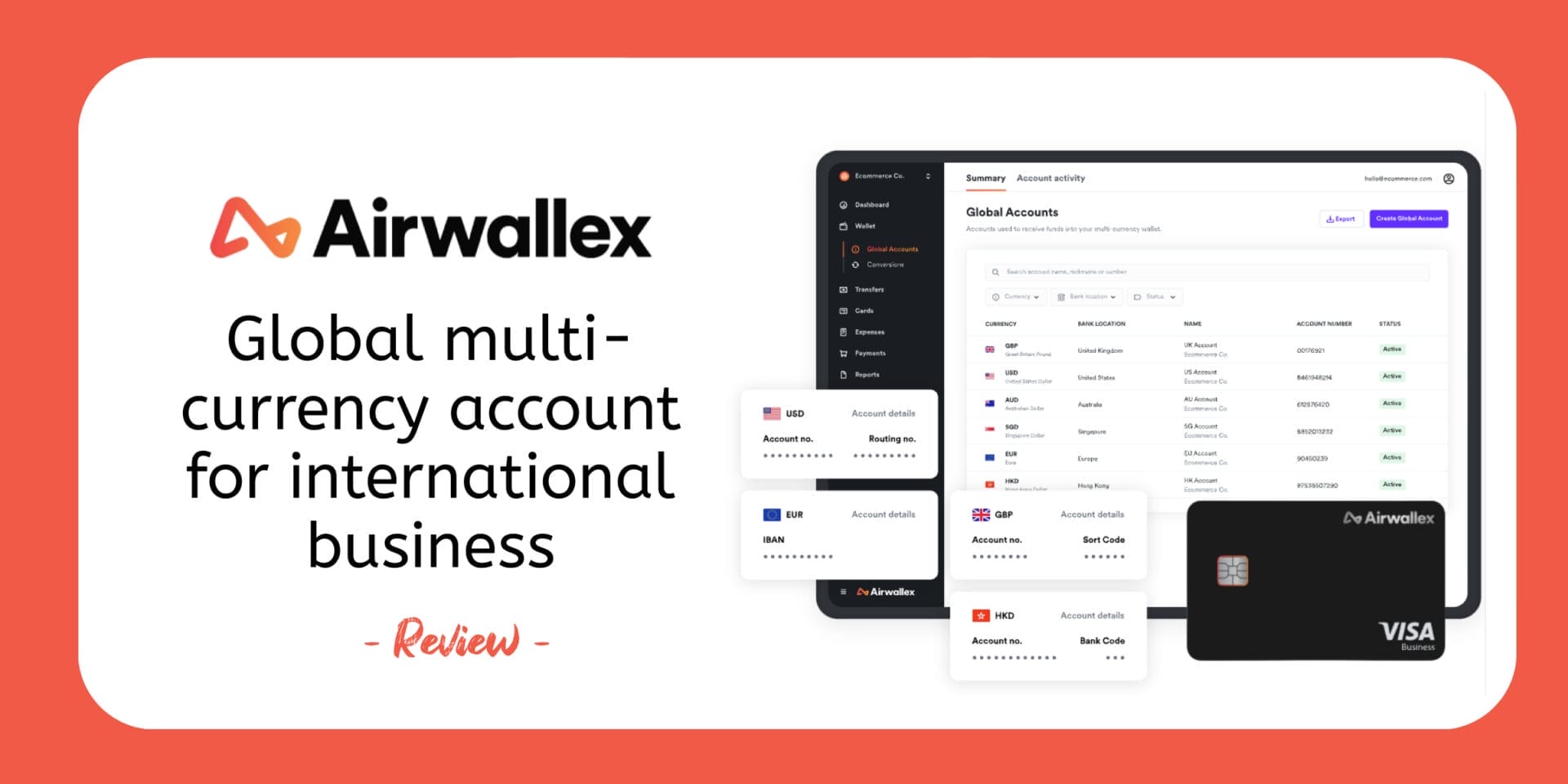
Airwallex is a financial services company and offers a global multi-currency account with local details to receive payments worldwide. Make fast, low-cost international transfers and access flexible corporate cards for global spending. Connect easily with major software tools and manage FX at competitive rates. Ideal for businesses operating across borders. Their Explore plan is free if you keep £10k in deposits or balance — otherwise, it costs £19/month.
Accounting Integrations: Sage, Xero, Odoo, NetSuite, Asperato, ApprovalMax
Multicurrency Support: Airwallex offers fast, cost-effective international money transfers, allowing businesses to pay suppliers and employees in 200+ countries and regions across 60+ currencies. Payments can be received in as little as one business day, with the full amount on delivery guaranteed. Users have access to interbank FX rates, ensuring competitive pricing with no hidden fees, and can streamline payments using batch transfers to send funds to multiple recipients in a single transaction.
Eligible business types:Sole Trader, Limited Companies, LLP and LP
Find out more at Airwallex
-
-
WorldFirst International Business Payments — World Card: Earn £100 Back on Your Business Spend | Limited Time OfferMonthly Fee£0Bank TransfersLocal £0.30 · International £4.00 Cross-currency £5k+ FreeATM withdrawals–FX FeesUp to 0.50% · New customers 0.3%FSCS ProtectionNo
WorldFirst is a cross-border payments platform founded in London and now part of Ant Group, serving over 1.5 million businesses globally. Open a multi-currency World Account with local banking details in 20+ currencies, receive from 130+ marketplaces for free, and send payments in 100+ currencies to 210+ countries — with 80% arriving the same day. Forward contracts up to 24 months and unrivalled China payments via MYbank integration make it the standout choice for businesses trading internationally. No monthly fees, no minimum balance, no receiving fees.
Bank Transfer Fees: Local (GBP, EUR, USD) £0.30 · International £4.00 · Cross-currency £5k+ Free · World Account transfers Free
FX Rate: Up to 0.50% · New customers from 0.30%
Cashback (World Card): 0.5% under £40k/month · 0.8% up to £80k · 1.2% over £80k
Accounting Integrations: Xero, NetSuite
Eligible business types: Sole Trader & Limited Companies
Find out more at WorldFirst
-
Wise BusinessMonthly Fee£0Bank TransfersFree (UK)ATM withdrawalsFreeFX FeesFrom 0.33%FSCS ProtectionNo
Wise Business is built for companies operating internationally, offering low-cost global payments, local bank details in multiple currencies, and fast transfers. You can invoice clients abroad, pay suppliers efficiently, and manage team spending with full control. The account is designed to simplify international finance while keeping fees transparent.
💼 One-time account opening fee – £50
✅ Domestic bank transfers (UK) – Free
🌍 International transfers – From 0.33% + a small fixed fee
🏧 ATM withdrawals up to £200/month – Free (up to 2 withdrawals)
💳 ATM withdrawals over £200/month – £0.50 + 1.75% per withdrawalMulticurrency Support: Multicurrency is at the core of Wise Business accounts. You can hold and convert over 40 currencies, and receive local account details in 22 currencies (EUR IBAN, US routing number, GBP account number, and more) so you can invoice and get paid like a local. Send fast global payments, automate batch transfers, and benefit from real mid-market exchange rates. The account includes a multi-currency card for international spending and supports team spending controls and interest-earning balances.
Accounting Integrations:
Xero, Quickbook, FreeAgent, Freshbook, Emma, ZohoBooks, Odoo, QuickFile, Ember, CheddarEligible business types: sole traders and freelancers, limited and public companies, partnerships, charities and trusts in the European Economic Area (EEA), Canada, US, Switzerland, Australia, and New Zealand
Find out more at Wise Business
-
MultiPassMonthly FeeFrom £100Bank Transfers£1/OutgoingATM withdrawals1.5%FX Fees1.5%FSCS ProtectionNo
MultiPass provides multi-currency virtual IBANs with local UK, EU, and US account details. Send and receive payments in 70+ currencies across 200+ countries with wholesale FX rates. Manage up to 15 business cards (virtual or physical), fully online, with real-time controls. Exchange currencies instantly and keep multi-currency balances to avoid unnecessary conversions.
Accounting Integrations: MultiPass does not currently offer a direct accounting-software integration, but it allows businesses to add team members (e.g., accountants) individually, assigning them view-only or limited permissions so they can access transaction history and financial data. Additionally, users can export account statements and CSV files, enabling manual import into accounting software.
Multicurrency Support: Multicurrency is at the core of a Multipass account, allowing businesses to send, receive, and hold multiple currencies in the same account. Payments can be made via SWIFT or 20+ local payment methods. Exchange rates are fixed and transparent, with fees that can be waived depending on transaction volumes, making international payments and currency management straightforward.
Eligible business types: Limited Companies, LP and LLP
MultiPass Global Business Account Pricing
- Free: Online banking, relationship manager, extra IBANs
- Onboarding: From £500 (one-time account setup)
- Monthly Fee: From £100 (for account maintenance) + Card £10/month
- Minimum Balance: Must maintain 3× monthly fee, or pay £100/month
- UK Transfers: Free incoming, £1 outgoing
- SEPA Transfers: €2 incoming, from 0.10% outgoing
- SWIFT Transfers: £20–£60
- Extra Fees: £500 for missing documents; account closure from 3× monthly fee
Find out more at MultiPass





ANNA Business Account
ANNA is a business banking service designed specifically for small businesses and limited companies. You can open an account in under 10 minutes and receive a physical card within 3-4 days. The service includes expense management, invoicing tools, and tax handling features. ANNA provides both virtual and physical debit cards for immediate use. Over 100,000 business owners currently use their services.

Countingup Business Account
Countingup combines a business bank account with accounting software in one simple app. You can open an account in minutes and get a contactless Mastercard with all the usual banking details. The app automatically handles your bookkeeping by categorizing transactions and capturing receipts. It also creates profit and loss reports and estimates your tax obligations. Plus, you can send invoices directly through the app and get real-time business insights.

Cynergy Bank Business Current Account
Cynergy Bank is a UK business bank designed for small and medium-sized businesses, covering everything from domestic payments and bulk payroll to international transfers in up to seven major currencies — all with no monthly fee for the first 12 months (limited offer). Eligible deposits are FSCS-protected up to £120,000.

Airwallex Business Account
Airwallex Business Account provides companies with a single platform to manage international payments and finances. Businesses can open multi-currency accounts with local bank details across different countries without traditional banking paperwork. The platform allows companies to send and receive money globally at interbank exchange rates with transparent pricing. Organizations get corporate cards that operate in multiple currencies and integrate with existing accounting systems. It eliminates the need for multiple banking relationships and expensive traditional transfer services.
WorldFirst Business Account
WorldFirst is a cross-border payments platform built for businesses that trade internationally. Part of Ant Group and serving over 1.5 million businesses globally, it offers a multi-currency World Account with local banking details in 20+ currencies — letting you receive, hold, convert, and send money without the cost and friction of traditional banking. Send payments in 100+ currencies to 210+ countries, with 80% arriving the same day. No monthly fees, no minimum balance, no receiving fees.

International £4.00
Cross-currency £5k+ Free
New customers 0.3%
Wise Business Account
Wise offers business accounts that help companies manage money across different countries without the usual banking hassles. You get real exchange rates and transparent fees for everything you do. The account works like a regular business account but handles multiple currencies easily. You can send payments worldwide, receive money from customers, and give your team spending cards. Setting up takes minutes and there are no monthly charges to worry about.

Multipass Business Account
MultiPass is a digital banking solution designed for businesses that need to handle international payments and multi-currency transactions. The platform provides virtual IBANs for different regions including the UK, EU, and US. Companies can manage their finances across 70+ currencies from a single dashboard. MultiPass also offers corporate cards and batch payment features for streamlined business operations. The service aims to simplify cross-border banking for growing businesses.
How to Compare Business Bank Accounts
1. Understand Your Requirements
How you do business will affect the type of account you need. Consider how many transactions you will have each month, as some accounts charge per transfer while others offer a set amount for free. If you handle physical money, check if the provider allows for cash deposits at the Post Office or local retailers. Finally, decide if you are comfortable with a mobile-only experience or if you require the support of a local physical branch.
2. Check Eligibility
Most providers have a range of business accounts tailored to different types of companies. Before applying, check the eligibility criteria to ensure the account is suited to your specific business structure, whether you are a sole trader or a limited company. Some accounts also have turnover limits or require you to be a UK resident, so verifying these details early can save you time during the application process.
3. Compare the Latest Deals
There are numerous offers and deals designed to attract new customers, which can be compared using our tool above. When looking at a “free” offer, always consider the long-term value of the account beyond the initial period. Look closely at the ongoing cost of transactions and whether the account provides the essential integrations you need, such as direct feeds to your accounting software.
The Guide to Free Business Banking for UK Sole Traders & Limited Companies
The UK business banking market has reached a state of “digital-first” maturity. For small businesses, freelancers, and startups, the ability to open an account in minutes without monthly overheads is now the standard. However, “free” banking often comes with specific usage-based trade-offs that every founder should understand before committing to a provider.
If you are looking for a cost-effective account to power your business, here is how the three most popular digital options stack up in the current market.
Business Banking Guides You May Find Useful
Business Banking: Frequently Asked Questions
Is a business account legally required?
- For Limited Companies: Yes. Your company is a separate legal entity, and its finances must be kept strictly separate from your personal money. Using a personal account for company transactions violates Companies Act requirements.
- For Sole Traders: While not a legal requirement, most UK banks prohibit the use of personal accounts for business in their terms. A dedicated account is also essential for complying with the Making Tax Digital (MTD) rules starting in April 2026.
How much does a digital business account really cost?
“Free” banking usually follows one of these three models:
- Pay-per-transfer: No monthly fee, but you pay a small amount (e.g., 20p) every time you move money. Best for businesses with fewer than 25 monthly transactions.
- Commission-based: No monthly fee, but the provider takes a small percentage (e.g., 0.95%) of any money you receive from customers. More suitable for businesses receiving fewer but larger payments.
- Subscription-based: A flat monthly fee (often from £5 to £60) that usually includes a set number of “free” transactions. Most economical for high-volume businesses making 50+ monthly transfers.
How is my money protected?
- FSCS Protection: Banks protect deposits up to £120,000 per authorized firm. This is a government-backed guarantee that pays you back quickly if the provider fails—typically within seven days.
- Safeguarding: E-Money Institutions (like ANNA) keep your money in a separate, ring-fenced account at a major bank. Your money is protected from the provider’s own creditors, though it may take longer to access if the provider fails compared to an FSCS payout.
Do these accounts support “Making Tax Digital” (MTD)?
Yes. As the April 2026 MTD deadline for sole traders earning over £50,000 approaches, these accounts have been designed for compliance. Most integrate with software like Xero or QuickBooks, and Countingup and Tide even allow you to file tax details directly to HMRC via the app without requiring separate accounting software.
How long does it take to switch business accounts?
The Current Account Switch Service (CASS) guarantees a complete switch within 7 working days for businesses with fewer than 50 employees and a turnover under £6.5 million. This service automatically moves your balance, standing orders, and direct debits to your new provider, ensuring minimal disruption to your business operations.
Can I deposit cash into these accounts?
Yes. Most digital providers partner with the Post Office or PayPoint networks. Typical fees are approximately 0.5%–0.7% at the Post Office (often with a £2.50–£3 minimum) or 3% at PayPoint locations. These fees make cash deposits expensive for businesses handling significant cash volumes—depositing £1,000 at PayPoint costs £30 in fees alone.