Making Tax Digital (MTD) is the most significant change to Self Assessment since it was introduced in 1997. If you are a sole trader, it affects how you keep records, how often you report to HMRC, and which tools you use to do so. This guide explains everything you need to know: what MTD is, who it applies to, what the deadlines are, how the penalty system works, and which solutions make compliance as straightforward as possible.
MTD rules, thresholds, and deadlines are subject to change. Always verify current requirements and seek advice from a qualified accountant or financial adviser before making decisions about your tax compliance approach.
What Is Making Tax Digital?
Making Tax Digital is a government programme designed to modernise the UK tax system. The core idea is simple: instead of keeping records however you like and submitting one annual tax return, you keep digital records throughout the year and send regular updates to HMRC using approved software.
MTD is not a new tax. It does not change what you owe — it changes how and how often you report it. The government’s aim is to reduce the tax gap (the difference between what is owed and what is actually paid) by cutting down on errors, omissions, and delays in the reporting process.
Key Point: MTD Is Already Live for VAT
MTD for VAT has been in place since 2019 and was extended to all VAT-registered businesses in April 2022. MTD for Income Tax — the phase relevant to most sole traders — is the next stage.
Does MTD Apply to You?
MTD for Income Tax Self Assessment applies to you if all of the following are true:
- You are registered for Self Assessment as a sole trader or landlord.
- You receive income from self-employment, property, or both.
- Your total qualifying income exceeds the relevant threshold for your tax year.
What Is Qualifying Income?
Qualifying income means your total gross income from self-employment and/or UK property — before deducting expenses. If you are both a sole trader and a landlord, both income streams count towards the threshold.
What Does Not Count?
The following income does not count towards your MTD threshold, even if you report it through Self Assessment:
- Salary from employment (PAYE)
- Your share of profits from a partnership
- Dividends — including income taken from your own limited company
- State pension
- Private pensions
- Savings interest
Everything else may still be taxable — but it will not push you over the MTD threshold.
Partnerships are not currently in scope: MTD for Income Tax does not apply to partnerships at this stage. If you receive income as an individual partner, your share of partnership profits does not count towards your MTD qualifying income threshold. The government has indicated partnerships will be brought into MTD in the future, but no start date has been confirmed.
What If I Have Just Started Trading?
If you begin a new self-employed activity or start letting out property part-way through a tax year, you must use MTD once your annual gross income goes over £20,000. If your income is below that level, you can continue using traditional Self Assessment until HMRC brings you into scope.
MTD Roll-Out Timeline
MTD for Income Tax is being introduced in three phases. HMRC determines your status based on the previous tax year’s qualifying income. If you are in scope, you will receive a letter from HMRC — but you can also check your status using the the gov online tool.
| Start Date |
Who Must Comply |
| 6 April 2026 |
Income over £50,000 in the 2024/25 tax year |
| 6 April 2027 |
Income over £30,000 in the 2025/26 tax year |
| 6 April 2028 |
Income over £20,000 in the 2026/27 tax year |
Who Is Exempt from MTD?
Exemptions fall into three categories — some apply automatically, some are temporary deferrals, and one must be applied for.
Permanent exemptions (automatic)
You are automatically outside the scope of MTD if:
- Your qualifying income is £20,000 or less (once the full rollout is complete)
- You do not have a National Insurance number
- You are a trustee, executor, or personal representative acting in that capacity
- You are subject to a Power of Attorney or Court of Protection deputyship — where someone else manages your tax affairs because you lack the capacity to do so yourself
- You are a Lloyds underwriter or minister of religion
- You claim Married Couples Allowance or Blind Person’s Allowance
Temporary deferrals (until at least April 2027)
Certain groups who would otherwise join MTD in April 2026 have been given an automatic one-year deferral. These include taxpayers who in their 2024/25 return: claimed averaging relief (common for farmers and creative artists); claimed qualifying care relief (such as foster carers); reported trust or estate income; or filed SA109 non-residence pages and expect to do so again in 2026/27.
Digital exclusion (must be applied for)
You may apply to HMRC for exemption if it is not reasonably practicable for you to use compatible software — for example, due to age, disability, lack of internet access, or religious beliefs. This exemption must be confirmed by HMRC in writing before you can treat yourself as exempt. You cannot simply opt out.
Can I leave MTD once I’ve joined?
Yes, in some circumstances. If your qualifying income falls below the relevant threshold for three consecutive tax years, you can choose to opt out of MTD. HMRC will confirm when this applies to you. If you think this may be relevant to your situation, it’s worth speaking to a qualified accountant to confirm your position.
What Does MTD Require You to Do?
Once you are in scope for MTD, your obligations each tax year are:
1. Keep Digital Records
All self-employment income and expenses must be recorded digitally using MTD-compatible software. You cannot use paper records. You do not need to create digital records for all income sources — other income such as savings, dividends, or pensions does not need to be recorded digitally, but must still be reported in your final declaration.
2. Submit Quarterly Updates
You must send four quarterly summaries of your income and expenses to HMRC each tax year. These are not tax returns — they are summaries that give HMRC a cumulative picture of your self-employment finances. You can correct earlier figures in later updates, and losses are handled at the year-end stage rather than in quarterly updates. If you have more than one income source — for example, you are both a sole trader and a landlord — you must submit separate quarterly updates for each. Both income streams feed into the same final year-end declaration, but HMRC requires them to be reported independently throughout the year. If this applies to you, your MTD software will need to support multiple income sources.
💡 Capital Expenses in Quarterly Updates
Capital expenses (such as buying a laptop or van) are not included in quarterly updates. They are reported in your year-end summary. However, they must still be recorded digitally throughout the year.
3. Submit a Final Year-End Declaration
After the tax year ends, you submit a final declaration — similar to the current Self Assessment return. This is where you add all other income sources (savings, dividends, pensions), claim reliefs such as pension contributions, and finalise your tax position. Tax owed is still paid by 31 January.
Quarterly Submission Deadlines
Each quarterly update is due on the 7th day of the month following the end of that quarter:
| Quarter Period |
Submission Deadline |
| 6 April – 5 July |
7 August |
| 6 July – 5 October |
7 November |
| 6 October – 5 January |
7 February |
| 6 January – 5 April |
7 May |
How Does the MTD Penalty System Work?
MTD for Income Tax uses a points-based penalty system for late submissions:
- Each missed quarterly update deadline earns one penalty point.
- Once you accumulate four points, you receive a £200 fine.
- Points only expire after a sustained period of compliant filing.
- A separate penalty of up to £3,000 applies if you fail to keep proper digital records or use non-compatible software.
Late Payment Penalties Are Separate
Late payment penalties are separate from submission penalties. Interest begins accruing from the day your tax becomes overdue, with further penalties at 16 days and 31 days. If you cannot pay on time, contact HMRC as early as possible — they may be able to arrange a payment plan.
What Software Do You Need for MTD?
HMRC does not provide MTD software itself. You must use a commercially available product that is listed as compatible on the HMRC website. There are two broad types:
Software That Creates Digital Records
These products manage the full process: recording income and expenses (either by linking to your bank account, scanning receipts, or manual entry), sending quarterly updates to HMRC, and submitting your year-end return. Most major accounting platforms fall into this category.
Bridging Software
If you already use spreadsheets to record income and expenses, bridging software connects those spreadsheets to an MTD-compliant submission tool. The connection must be digital and automatic — copy-pasting figures manually between systems does not meet HMRC’s requirements.
Can I Use More Than One Product?
Yes. You can use different products for different income sources or different tasks (for example, one product for record-keeping and another for submissions). However, you can only use one product per submission type — you cannot use two different tools to submit the same quarterly update.
Benefits of Making Tax Digital
Although the transition to MTD requires an initial investment of time and potentially money, it brings genuine benefits for sole traders:
- Better tax planning: Quarterly updates give you a running estimate of your tax liability, so you are never caught out by a large bill in January.
- Improved financial insight: MTD-compatible software typically includes real-time reporting tools — profit and loss statements, cash flow projections, and tax summaries — giving you a clearer view of your business at any time.
- Reduced errors: Software automates calculations that are easy to get wrong manually. Regular quarterly checks also mean errors are caught sooner.
- Less year-end stress: Maintaining records throughout the year is far less burdensome than reconstructing twelve months of transactions in a rush.
- Opportunities for correction: Quarterly updates are cumulative, meaning you can correct earlier mistakes in later submissions before the final declaration.
Challenges to Be Aware Of
MTD also comes with genuine challenges, particularly for sole traders who are new to digital tools:
- Cost of software: Most MTD-compatible products charge a monthly fee. Free options exist but may have limitations on transaction volumes or features.
- More deadlines: Four quarterly updates plus a final declaration means five submissions per year instead of one. Staying organised is essential.
- Learning curve: Moving from paper records or spreadsheets to digital platforms takes time, especially if you are not familiar with accounting software.
- One reassurance for 2026/27: If you are joining MTD for the first time in April 2026, HMRC will not issue penalty points for late quarterly submissions in your first year. This gives you time to get used to the software and process. However, HMRC still expects you to keep digital records and submit updates — and the soft landing does not apply to your year-end final declaration. Do not treat it as permission to delay getting organised.
Recommended Solutions for MTD Compliance
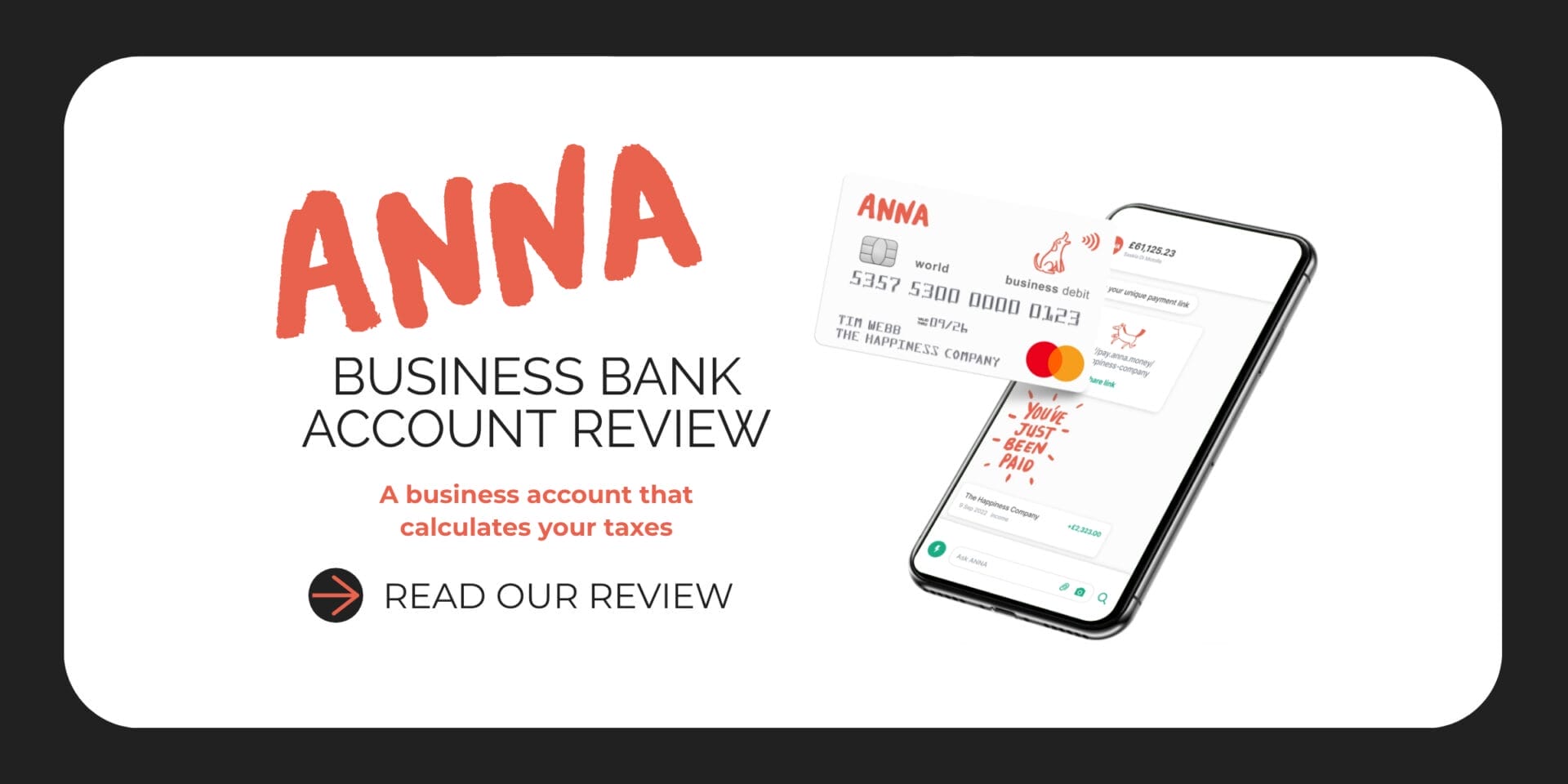
Choosing the right tool depends on how hands-on you want to be. Here are two options that work well for UK sole traders. ANNA Money is a business bank account that also handles MTD compliance in one place through its built-in Auto Accountant — making it a strong choice if you want to combine your banking and tax reporting under one roof. The Accountancy Partnership takes a different approach, providing a dedicated qualified accountant to manage all your MTD obligations on your behalf.
ANNA Money — Best for Automation
Best for: Sole traders who want a business account and MTD compliance managed in one place
Price: From £0/month — VAT filing included in +Taxes plans; first month free on any paid plan. No hidden fees.
Protection: Not FSCS-protected (e-money institution), FCA registered & HMRC-recognised MTD solution.
ANNA Money is a business bank account built for sole traders — but it does much more than hold your money. Its built-in Auto Accountant is an AI-based, HMRC-compliant tool trusted by thousands of UK businesses and designed specifically for the UK tax system. Auto Accountant files your MTD for you, first time and error-free — and unlike many MTD solutions, you do not need to buy separate software, learn new rules, or open a specific type of account. It works with all UK business bank accounts.
How it works:
- 01 — Sign up for free with ANNA and choose the type of Self Assessment you want filed.
- 02 — Connect your bank account. With Open Banking it is simple, secure and fast.
- 03 — Auto Accountant gets to work: it crunches the numbers and automatically files your updates and annual return.
For VAT, Auto Accountant handles everything from the moment a transaction lands in your account to the second it is filed with HMRC. It supports both the Standard VAT Scheme and the Flat Rate VAT Scheme, with calculations handled automatically under both. No spreadsheets, no bridging software, no manual uploads.
- Business bank account with UK sort code and account number
- Auto Accountant: AI-based, HMRC-compliant — trusted by thousands of UK businesses
- MTD filed first time and error-free — fully automated, no ongoing admin
- Digital records created automatically from bank activity
- Quarterly MTD updates prepared and ready for filing — you review, approve, and tap to file
- VAT filed directly to HMRC — transactions logged, expenses categorised, corrections sorted automatically
- Live estimate of your VAT position — 24/7 visibility of what you owe
- Supports Standard VAT Scheme and Flat Rate VAT Scheme
- MTD-compliant by design — no spreadsheets or bridging software needed
- Year-end Self Assessment filed — free for 2025/26 (limited offer)
- Works with all UK business bank accounts — connect an external account or use ANNA’s own
- Receipts and invoices stored in one app — snap receipts, create and send invoices, chase overdue payments
- Automated PAYE and NICs for one employee
- Personalised tax calendar; smart tax pots to set money aside
- 24/7 UK-based customer support and tax expert support
ANNA’s Refund Offer
If you have already paid for accounting software for your 2025/26 Self Assessment, ANNA will refund you up to £150 including VAT when you switch to their MTD service. You must be registered for MTD and sign up for ANNA’s MTD service to qualify. Accountant fees are excluded. Verify current terms directly with ANNA before making any decisions.
The Accountancy Partnership — Best for Full-Service Support
Best for: Sole traders who prefer a dedicated accountant to manage MTD entirely on their behalf
Price: From £22.50/month (fixed fee — no surprise bills)
Status: Qualified accountants; HMRC-regulated submission
The Accountancy Partnership provides comprehensive online accountancy services across the UK for a transparent, fixed monthly fee. If you would rather not interact with accounting software at all, this service assigns you a dedicated qualified accountant who manages your digital records, quarterly MTD updates, and year-end declaration. Support is available by phone, email, and live chat, with no variable costs or unexpected bills.
- Dedicated qualified accountant assigned to your business
- Quarterly MTD updates prepared and submitted to HMRC on your behalf
- Financial statements and year-end Self Assessment prepared and filed
- Unlimited support via phone, email, and live chat
- User-friendly online accounting software included
- Automatic deadline notifications — no missed filing dates
- Annual tax efficiency reviews to minimise your liability
- HMRC investigation representation if required
- Mobile app for invoicing and mileage tracking
How to Get Ready for MTD: A Step-by-Step Checklist
- Check whether MTD applies to you — use the online tool at gov.uk or check whether your qualifying income exceeds the threshold for your tax year.
- Choose MTD-compatible software — decide whether you want a fully automated tool (like ANNA Money) or full accountancy support (like The Accountancy Partnership).
- Start keeping digital records now — even before your mandatory start date, moving to digital record-keeping makes the transition far smoother.
- Consider opening a dedicated business bank account — separating business and personal finances makes digital record-keeping significantly easier.
- Sign up for MTD via gov.uk — you can do this voluntarily ahead of your mandatory start date, or ask your accountant to sign up on your behalf.
- Speak to an accountant if you are unsure — particularly if your income comes from multiple sources or you have complex tax affairs.
MTD Frequently Asked Questions
Do I still submit an annual tax return under MTD?
Yes. You still submit a final year-end declaration by 31 January, and you still pay your tax bill by the same date. MTD does not remove the annual declaration — it adds quarterly updates on top of it.
Does MTD mean I have to pay tax four times a year?
No. You only make one tax payment per year, due by 31 January. The quarterly updates are reporting obligations, not payment obligations.
Can I use spreadsheets under MTD?
Yes, but only if you use bridging software that connects your spreadsheets to HMRC digitally. The link must be automatic — manually copying figures from a spreadsheet into a submission does not comply with MTD rules.
What if my income changes and I go above or below the threshold?
HMRC assesses your qualifying income once a year based on the previous tax year. If your income rises above the threshold, you will be required to use MTD from the following April. If it falls below, you may be able to exit the scheme — HMRC will let you know.
Can my accountant handle my MTD submissions for me?
Yes. You can authorise an accountant or agent to manage your digital records and submit your quarterly updates and final declaration on your behalf through their MTD software. This is the approach used by clients of The Accountancy Partnership.
What if I have both UK and overseas rental income?
You will need to keep digital records for each income source and submit separate quarterly updates — one for UK property income and one for overseas. Both are reported in your final year-end declaration.
Can I sign up for MTD early?
Yes. HMRC has a voluntary sign-up option for those who want to test the service ahead of their mandatory start date. You can sign up via gov.uk or ask your accountant to do so on your behalf.
Disclaimer: This guide is provided for general informational and educational purposes only. It does not constitute financial, legal, or tax advice. MTD rules, thresholds, and deadlines are subject to change. Always verify current requirements at gov.uk and seek advice from a qualified accountant or financial adviser before making decisions about your tax compliance approach.